How do I cancel or pause my subscription?Updated 7 days ago
From your online account, click on the Subscription tab at the top of the account options. From there, select Manage and click Cancel from the dropdown menu. 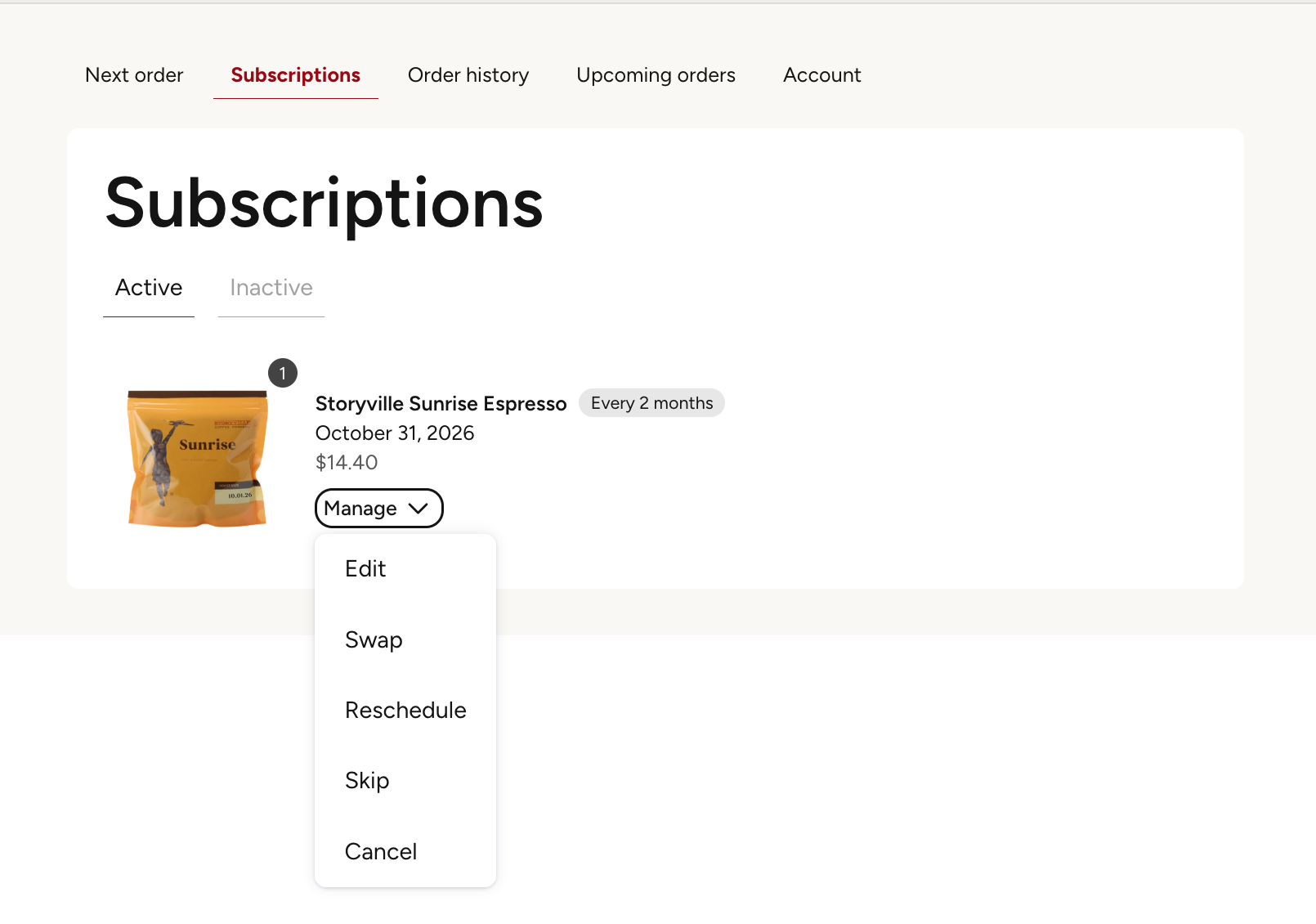
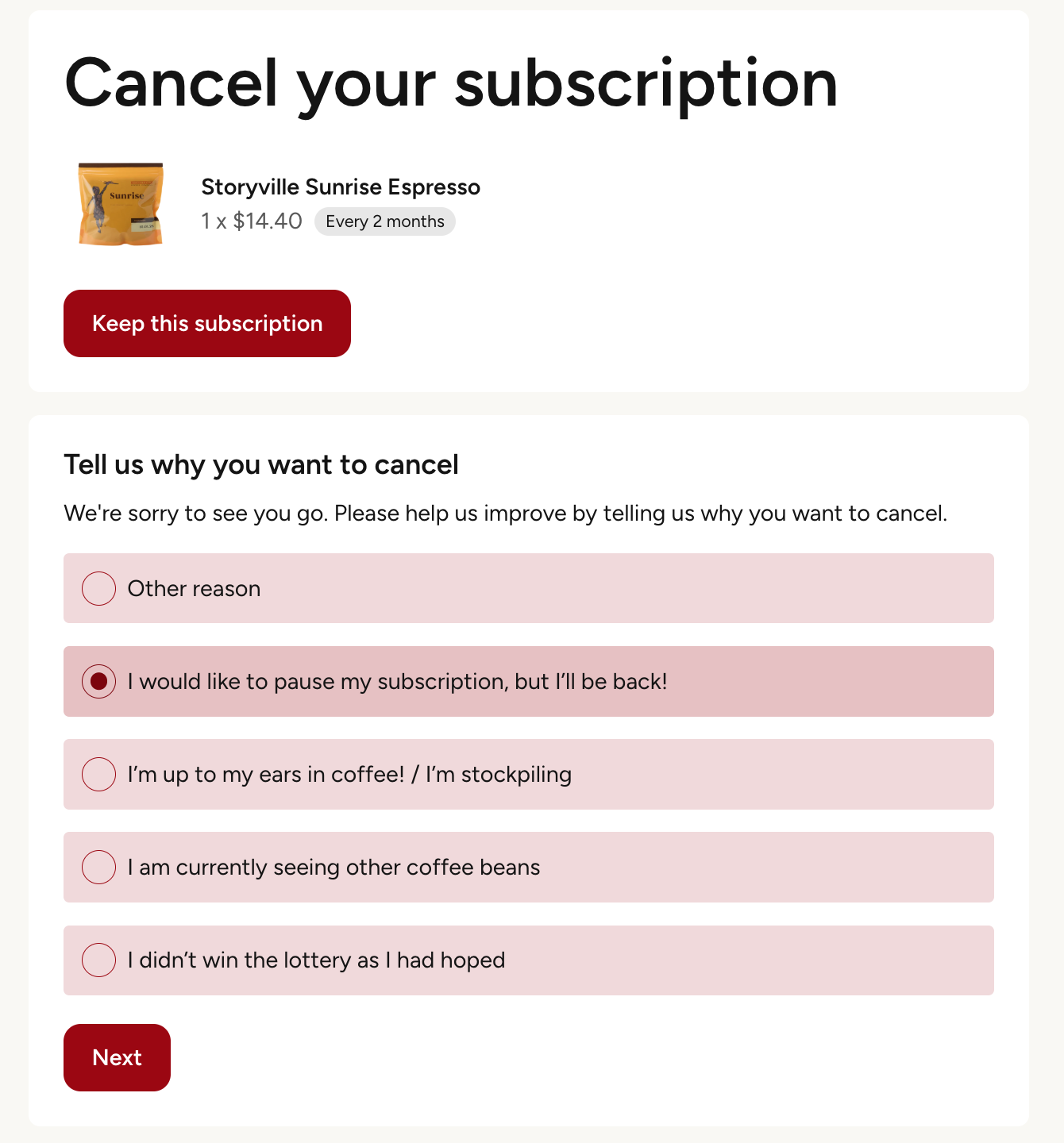
Choose your cancelation reason and click "Next".
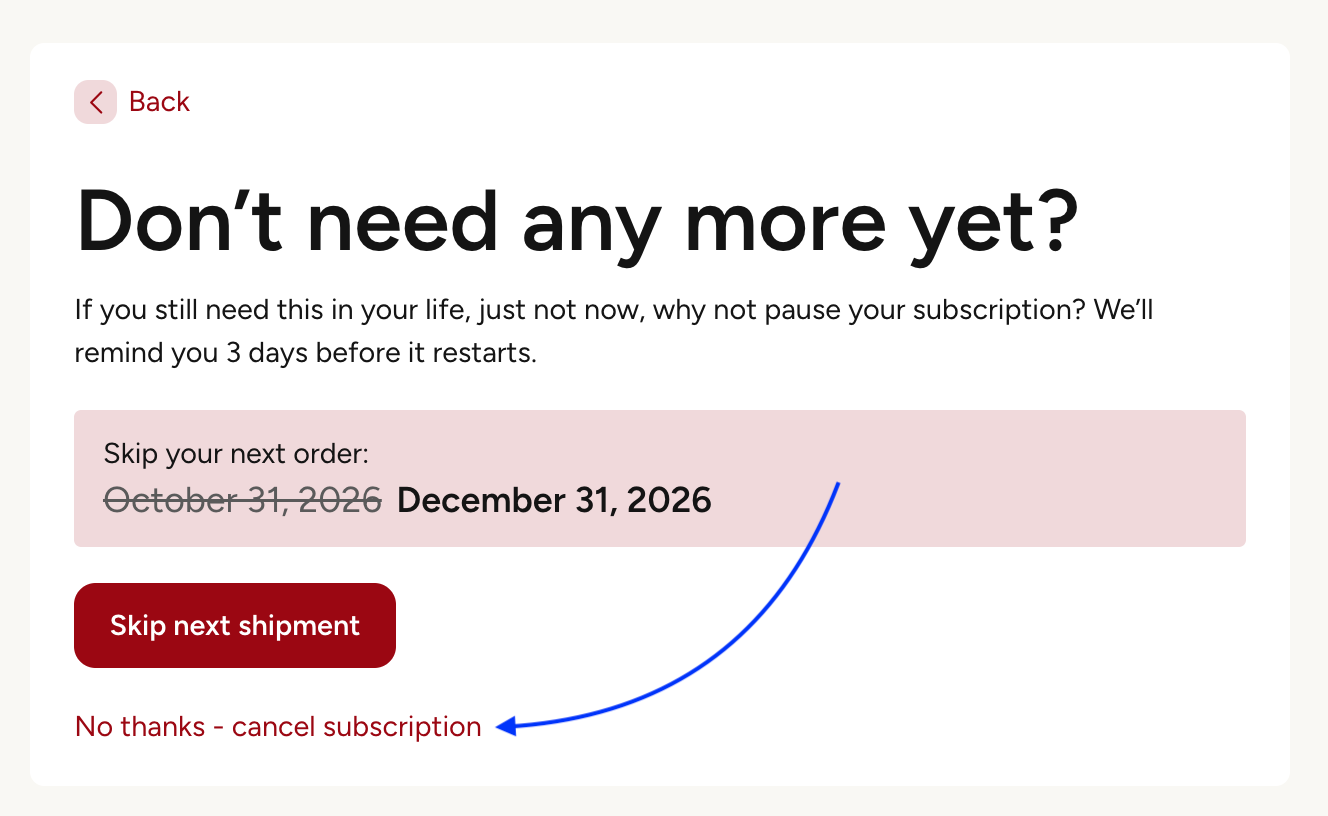
You are then given the option to skip a shipment or cancel. To cancel, click on the "No thanks - cancel the subscription" option.
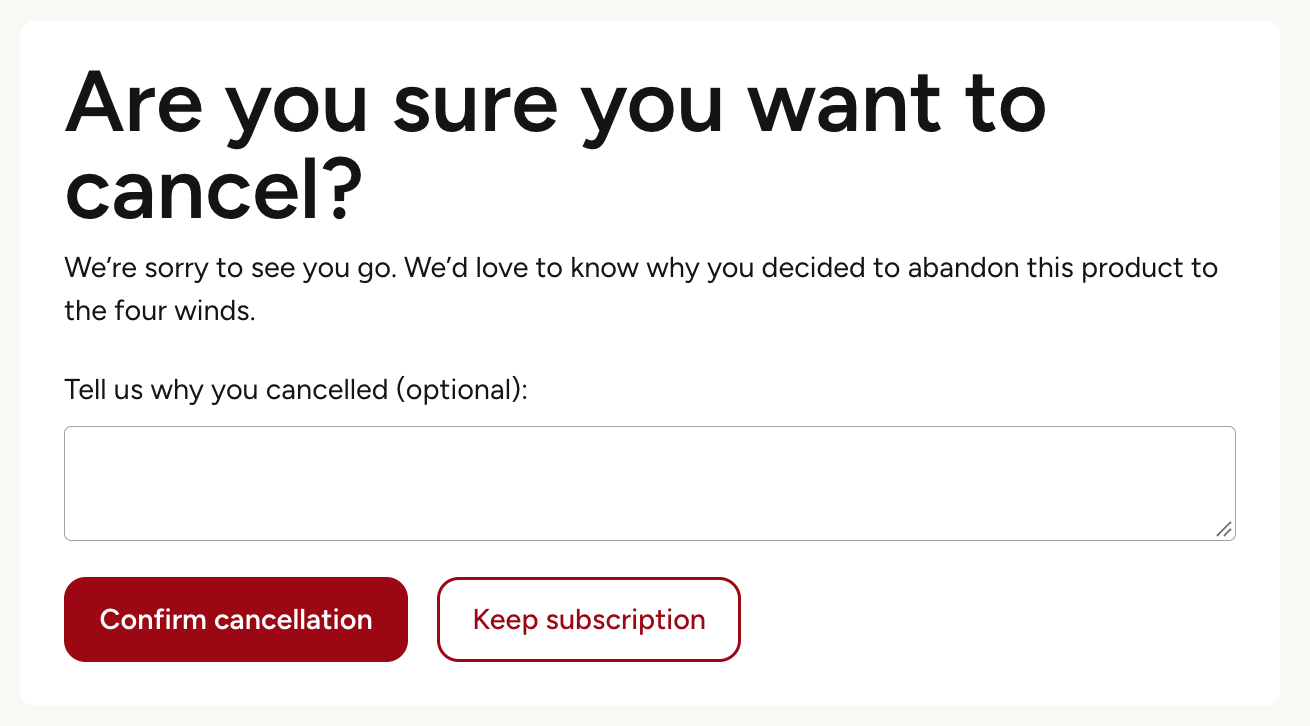
Lastly, click "Confirm cancellation".